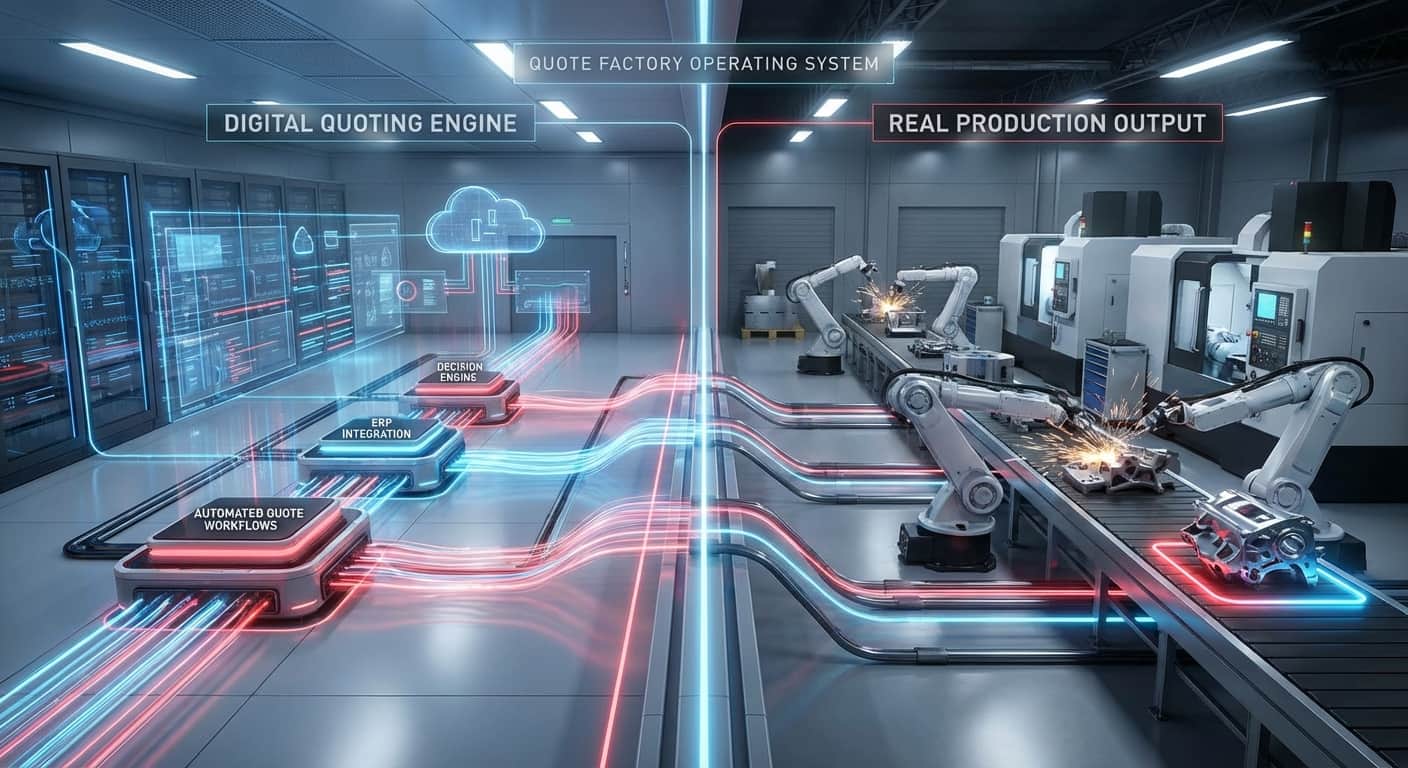
Dots, Lines and Your Factory: How Graphs Become the Backbone of Unified PMI
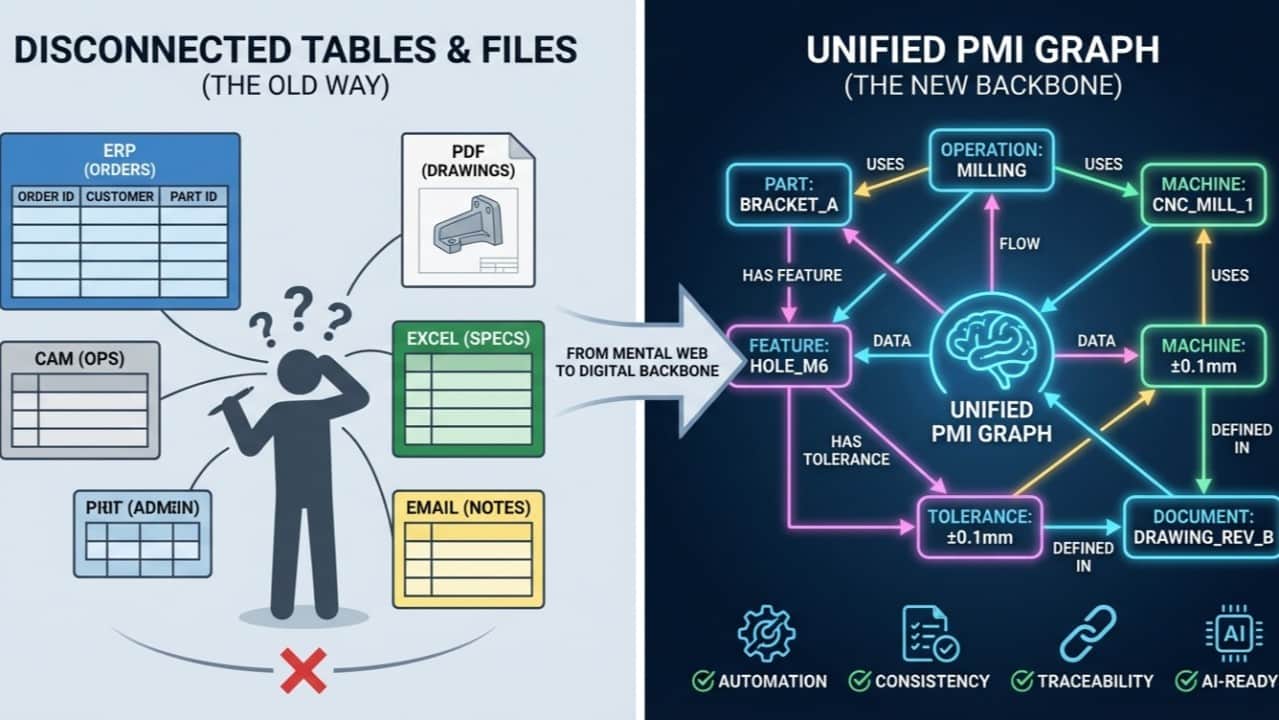
Most metalworking businesses are already “thinking in graphs” – they just don’t call it that.
When a new RFQ comes in, your brain instantly connects:
that customer → those drawings → these parts → those machines → these people
That mental web of connections is exactly what a graph is in data terms. And it’s the backbone we use for Unified PMI.
This article is part 2 in the Unified PMI series. In the first one, I focused on what Unified PMI is. This one is about how we model it – and why that matters for your business.
From tables to connections: how your brain really works
Most software still shows the world as tables:
- one table for customers
- one for orders
- one for parts
- one for operations
Often spread across ERP, CAM, PLM, PDM and other systems.
Useful, but this is not how you actually think about your factory.
You think in connections:
- “This RFQ is for that assembly.”
- “This part belongs to that sub-assembly.”
- “This operation runs on that machine with that tool.”
- “This tolerance comes from that drawing.”
That “network in your head” is what computer scientists call a graph.
A graph is nothing more than:
- dots (we call them nodes or vertices)
- lines between them (we call those edges)
Each dot is a thing in your business:
- a customer, RFQ, part, feature
- an operation, machine, tool
- a tolerance, material, document
Each line describes the relationship:
- “RFQ → part”
- “part → sub-parts”
- “part → drawing”
- “operation → machine”
- “feature → tolerance”
On both the dots and the lines you can store information: properties like quantity, revision, processing time, etc.
That’s all a graph is. Dots for things, lines for relationships.
Why graphs show up everywhere (even if you don’t see them)
Because graphs mirror how we think about connected things, they appear in more places than most people realise:
- Route planners (shortest path from A to B)
- Planning systems (dependencies between tasks)
- CAD assemblies (parts and how they’re built up)
- XML / JSON structures (nodes and links)
- PLM / PDM relationships (product structures, revisions, alternatives)
The visual representation may look different – a network map, a process diagram, a state machine, a class diagram – but underneath it’s the same idea: nodes + edges.
That’s why graph models are such a powerful foundation for digitalisation: they can represent any structure in your factory without forcing it into rigid tables.
The gap: hybrid input, fragmented PMI
Now, connect this to the everyday reality of metalworking companies:
- Geometry in 3D models
- Dimensions and tolerances on PDF drawings
- Special requirements in emails
- Quantities and prices in Excel
- Revision history in PLM/PDM
At the same time, you have to:
- translate engineering intent into manufacturing routes
- allocate machines, tools and operators
- control quality at different stages in the process
All of that is graph-shaped work – but most systems only see disconnected tables and files.
This is exactly the gap Unified PMI is designed to fill.
Unified PMI: a graph as the backbone
The goal of Unified PMI is simple to state, hard to achieve:
One consistent view of all Product & Manufacturing Information, regardless of where it originally comes from.
A graph data model is how we do that in Quotation Factory.
In our Unified PMI graph, we can connect:
- Parts to assemblies, features, materials
- Features (holes, threads, pockets) to tolerances, surface finishes, operations
- Operations to machines, tools, setups, times
- Documents (3D, 2D, email, Excel) to the specific PMI statements they contain
And crucially, we keep traceability:
- This material spec comes from that email
- This thread requirement comes from that drawing
- This tolerance comes from that model annotation
The PMI no longer has to live inside the 3D model to be usable. We can build a separate Unified PMI graph and link it to the model where needed.
That gives us a lot more flexibility:
- We can support MBD-based CAM when it’s available
- But we can also drive CAM and planning directly from the graph, even when systems barely understand MBD
What graphs make possible for Unified PMI
Once everything lives in a graph, a lot of things become easier or even automatable:
- Consistent interpretation of mixed input The graph can say: these three documents (3D, PDF, email) all talk about the same part and features. Conflicts can be flagged, consistency can be enforced.
- Better routing and estimation If a feature has a certain tolerance and thread spec, the graph knows:
- In-process quality with the right context You can attach PMI not just to the final part, but also to intermediate states in the route. That means quality checks know exactly what to expect at each step, not just at the end.
- Impact analysis and change management If a requirement changes, graph algorithms can trace all connected nodes:
- A shared backbone for future automation and AI As more AI and optimisation tools appear, they need structured, connected data. Graph-based Unified PMI gives them exactly that.
Why this matters for owners and consultants
If you’re a metalworking business owner, you don’t have to care about the academic details of graph theory.
But you do care about:
- dependency on a few key people who “know how everything is connected”
- slow, error-prone translation from RFQ to route
- difficulty in standardising and automating decisions
- the struggle to make sense of hybrid input (2D, 3D, PDFs, emails, Excel)
A graph-based Unified PMI model helps because it:
- mirrors how your experts already think
- stores that knowledge in a system instead of only in their heads
- makes hidden dependencies visible
- provides a robust backbone for automation, from quoting to quality
Behind the scenes, Unified PMI in Quotation Factory is “just” dots and lines. On the surface, it’s a way to finally make your real-world complexity computable.
What’s next
In the next part of this series, I’ll zoom in on:
- how a 3D model itself is a graph
- how we link Unified PMI to 3D features without locking everything inside the CAD file
- and how that combination supports more flexible, practical use of MBD in the supply chain
If you’re working with high-mix, high-variant parts and assemblies – especially in ecosystems like the ASML supply chain – and you want to see what a Unified PMI graph would look like on your own jobs, feel free to reach out or drop a question in the comments.